템플릿 관리에서 설정한 메인 레이아웃이 실제 홈페이지에 렌더링되도록 구현합니다.
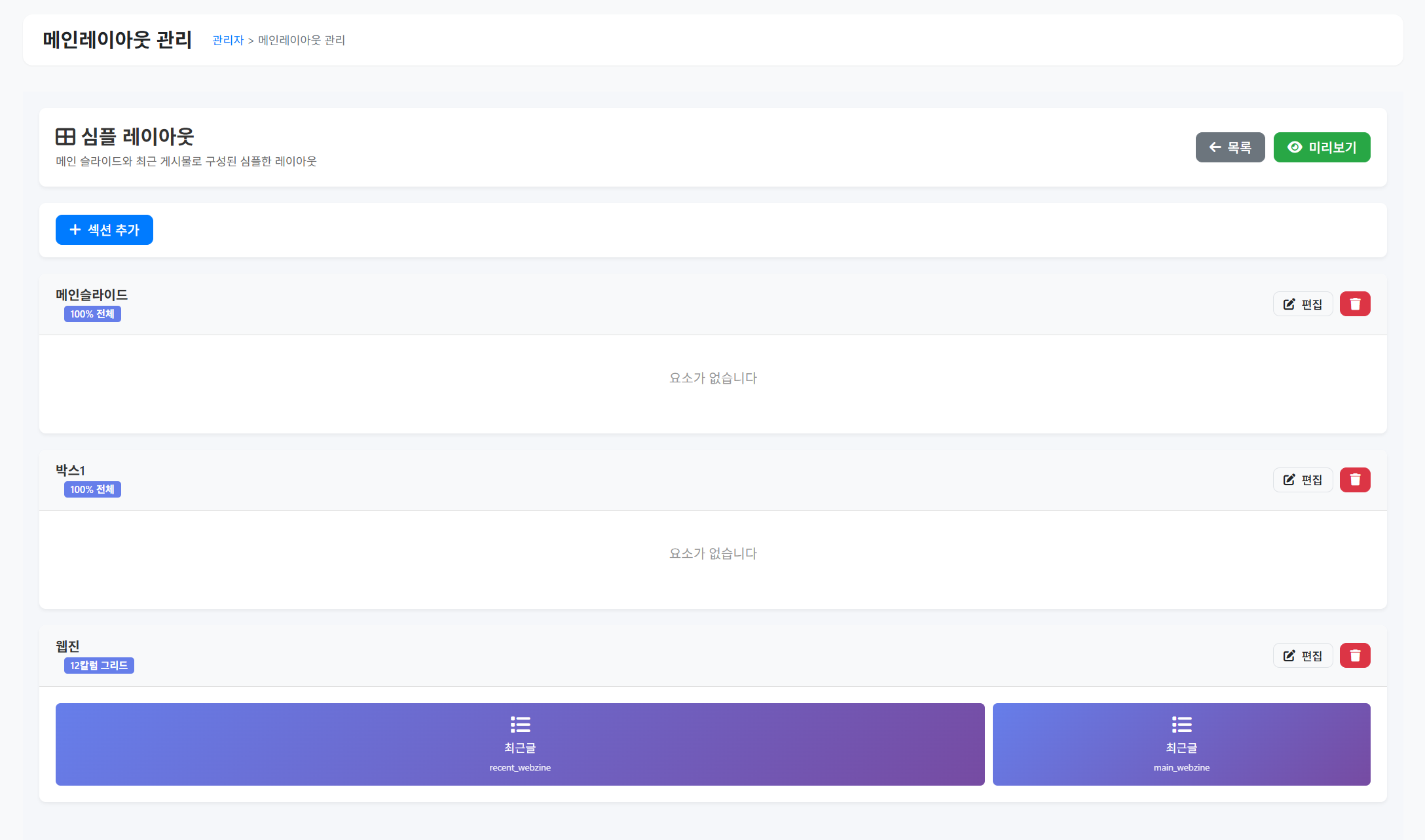
개요
관리자가 그리드 빌더에서 만든 메인 레이아웃이 프론트엔드에 실제로 표시되도록 렌더링 시스템을 구현합니다.
구현 파일
1. MainLayoutRenderer 클래스
파일: includes/MainLayoutRenderer.php
목적: 메인 레이아웃 데이터를 HTML로 렌더링
주요 메서드:
renderLayout($layoutId)- 전체 레이아웃 렌더링-
renderSection($section) - 개별 섹션 렌더링
renderElement($element)- 개별 요소 렌더링 (슬라이드/위젯/배너)renderShortcode($type, $shortcode)- 숏코드 실행
렌더링 로직:
레이아웃 조회
→ 섹션들을 순서대로 루프
→ 각 섹션의 타입 확인 (grid/full)
→ grid: 12칼럼 CSS Grid로 렌더링
→ full: 100% 너비로 렌더링
→ 섹션 내 요소들을 배치
→ col_start, col_span에 따라 grid-column 설정
→ 요소 타입별로 적절한 숏코드 실행
2. HomeController 업데이트
파일:
controllers/HomeController.php
수정 내용: 현재
index() 메서드에서 다음 우선순위로 체크:
- 라이브 캔버스(main_layout_json) - 기존
- 메인 레이아웃 체크 추가 ← NEW
- 섹션 기반 렌더링 - 기존
- 기본 하드코딩 컨텐츠 - 기존
추가할 코드 위치: 83-103번 라인 이후
// 2-1) 템플릿에서 main_render_mode가 'main_layout'이면 main_layout_id 기반 렌더링
$stmt = $this->pdo->prepare("
SELECT t.main_render_mode, t.main_layout_id
FROM " . DB_PREFIX . "templates t
INNER JOIN " . DB_PREFIX . "settings s ON s.setting_key='current_template_id' AND s.setting_value=t.id
WHERE t.is_active=1
LIMIT 1
");
$stmt->execute();
$templateSettings = $stmt->fetch(PDO::FETCH_ASSOC);
if ($templateSettings &&
$templateSettings['main_render_mode'] === 'main_layout' &&
!empty($templateSettings['main_layout_id'])) {
require_once './includes/MainLayoutRenderer.php';
$layoutRenderer = new MainLayoutRenderer($this->pdo);
$menus = $this->menuModel->getVisibleMenus();
$app['title'] = defined('SITE_TITLE') ? SITE_TITLE : '홈페이지';
$app['description'] = '웹장이 홈페이지 빌더';
$app['keywords'] = '웹장이, WEBJANGEE';
$app['breadcrumb'] = '';
$app['page_type'] = 'home';
$app['menus'] = $menus;
$app['template_config'] = $templateConfig;
$app['content'] = $layoutRenderer->renderLayout($templateSettings['main_layout_id']);
return $this->templateManager->render($app);
}
3. CSS 스타일
파일: assets/css/main-layout-grid.css
스타일 구성:
/* 섹션 컨테이너 */
.main-layout-section {
padding: [섹션의 padding 설정값];
background-color: [섹션의 bg_color];
}
/* 12칼럼 그리드 */
.main-layout-grid {
display: grid;
grid-template-columns: repeat(12, 1fr);
gap: 20px;
max-width: 1200px;
margin: 0 auto;
}
/* 100% 너비 */
.main-layout-full {
width: 100%;
}
/* 요소 배치 */
.main-layout-element {
grid-column: [col_start] / span [col_span];
}
구현 단계
Step 1: MainLayoutRenderer 클래스 생성
- [ ] 기본 클래스 구조 생성
- [ ] renderLayout() 메서드 구현
- [ ] renderSection() 메서드 구현
- [ ] renderElement() 메서드 구현
- [ ] 숏코드 렌더링 로직 구현
Step 2: HomeController 통합
- [ ] main_render_mode 체크 로직 추가
- [ ] MainLayoutRenderer 인스턴스 생성
- [ ] 렌더링 결과를 $app['content']에 할당
Step 3: CSS 스타일 작성
- [ ] main-layout-grid.css 파일 생성
- [ ] 12칼럼 그리드 스타일
- [ ] 반응형 스타일 (모바일 대응)
Step 4: 테스트
- [ ] 템플릿 설정에서 main_render_mode='main_layout' 설정
- [ ] main_layout_id 선택
- [ ] 프론트엔드에서 레이아웃 렌더링 확인
주의사항
-
기존 렌더링 방식과 충돌 방지
- 우선순위를 명확히 하여 메인 레이아웃이 선택되었을 때만 작동
-
숏코드 렌더링
- 기존 MainSlideModel, RecentWidgetModel, BannerModel 재사용
- 동일한 렌더링 로직 적용
-
성능 최적화
- 레이아웃 데이터를 캐싱 (향후 개선)
- 불필요한 DB 쿼리 최소화
-
반응형 디자인
- 모바일에서는 12칼럼을 1칼럼으로 자동 변환
- CSS 미디어 쿼리 활용
댓글 0개